Documentation Index
Fetch the complete documentation index at: https://upstash.com/docs/llms.txt
Use this file to discover all available pages before exploring further.
Upstash Realtime is the easiest way to add realtime features to any Next.js project.
Why Upstash Realtime?
- 🧨 Clean APIs & first-class TypeScript support
- ⚡ Extremely fast, zero dependencies, 2.6kB gzipped
- 💻 Deploy anywhere: Vercel, Netlify, etc.
- 💎 100% type-safe with zod 4 or zod mini
- ⏱️ Built-in message histories
- 🔌 Automatic connection management w/ delivery guarantee
- 🔋 Built-in middleware and authentication helpers
- 📶 100% HTTP-based: Redis streams & SSE
Quickstart
1. Installation
npm install @upstash/realtime @upstash/redis zod
Upstash Realtime is powered by Redis Streams. Grab your credentials from the Upstash Console.
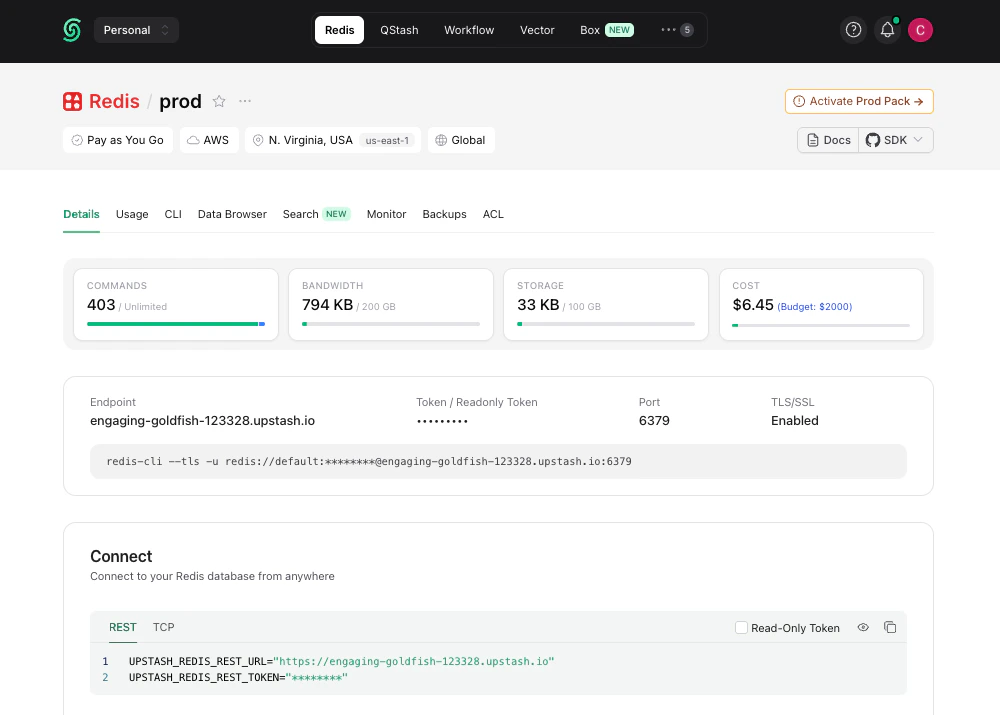
Add them to your environment variables:
UPSTASH_REDIS_REST_URL=https://striking-osprey-20681.upstash.io
UPSTASH_REDIS_REST_TOKEN=AVDJAAIjcDEyZ...
And lastly, create a Redis instance:
import { Redis } from "@upstash/redis"
export const redis = new Redis({
url: process.env.UPSTASH_REDIS_REST_URL,
token: process.env.UPSTASH_REDIS_REST_TOKEN,
})
3. Define Event Schema
Define the structure of realtime events in your app:
import { Realtime, InferRealtimeEvents } from "@upstash/realtime"
import { redis } from "./redis"
import z from "zod/v4"
const schema = {
notification: {
alert: z.string(),
},
}
export const realtime = new Realtime({ schema, redis })
export type RealtimeEvents = InferRealtimeEvents<typeof realtime>
4. Create Realtime Route Handler
Create a route handler at api/realtime/route.ts:
app/api/realtime/route.ts
import { handle } from "@upstash/realtime"
import { realtime } from "@/lib/realtime"
export const GET = handle({ realtime })
5. Add the Provider
Wrap your application in RealtimeProvider:
"use client"
import { RealtimeProvider } from "@upstash/realtime/client"
export function Providers({ children }: { children: React.ReactNode }) {
return <RealtimeProvider>{children}</RealtimeProvider>
}
import { Providers } from "./providers"
export default function RootLayout({ children }: { children: React.ReactNode }) {
return (
<html>
<body>
<Providers>{children}</Providers>
</body>
</html>
)
}
6. Create Typed Client Hook
Create a typed useRealtime hook for your client components:
"use client"
import { createRealtime } from "@upstash/realtime/client"
import type { RealtimeEvents } from "./realtime"
export const { useRealtime } = createRealtime<RealtimeEvents>()
7. Emit Events
From any server component, server action, or API route:
import { realtime } from "@/lib/realtime"
export const POST = async () => {
await realtime.emit("notification.alert", "hello world!")
return new Response("OK")
}
8. Subscribe to Events
In any client component:
app/components/notifications.tsx
"use client"
import { useRealtime } from "@/lib/realtime-client"
export default function Notifications() {
useRealtime({
events: ["notification.alert"],
onData({ event, data, channel }) {
console.log(`Received ${event}:`, data)
},
})
return <p>Listening for events...</p>
}
That’s it! Your app is now listening for realtime events with full type safety. 🎉
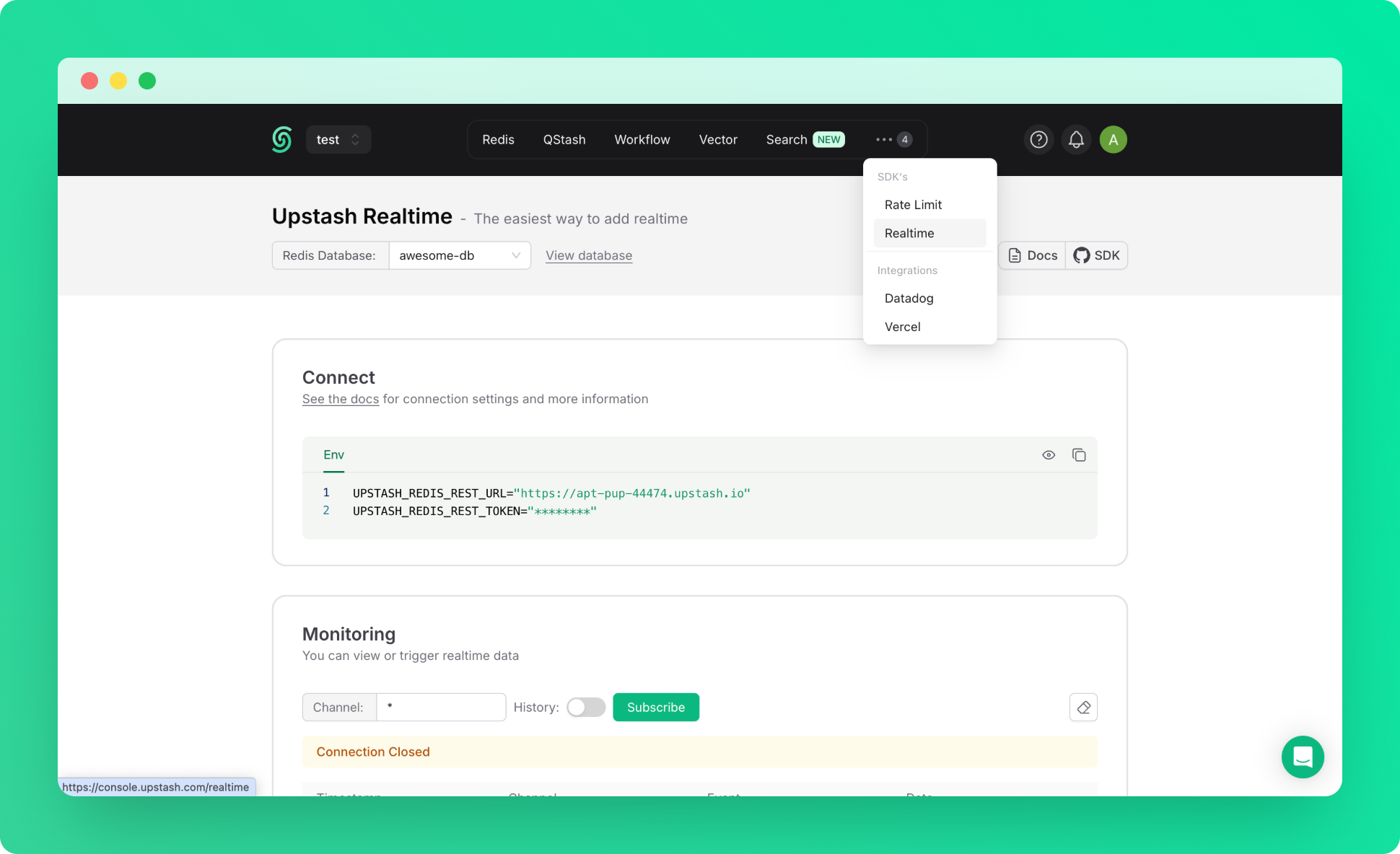
9. Realtime Dashboard
For debugging or monitoring purposes, you can use Realtime Dashboard in console.
Next Steps
Client-Side Usage
Complete guide to the useRealtime hook
Server-Side Usage
Subscribe to events and stream updates on the server
Channels
Scope events to specific rooms or channels
History
Fetch and replay past messages